Cooperatives
A cooperative (society) is the top of the CherryLedger hierarchy:
Everything — factories, members, seasons, prices and payouts — belongs to a cooperative, and data is isolated so one cooperative never sees another's.
Permission required: COOPERATIVE_READ (view), COOPERATIVE_CREATE (add), COOPERATIVE_UPDATE (edit).
Creating cooperatives is reserved for Super Admins.
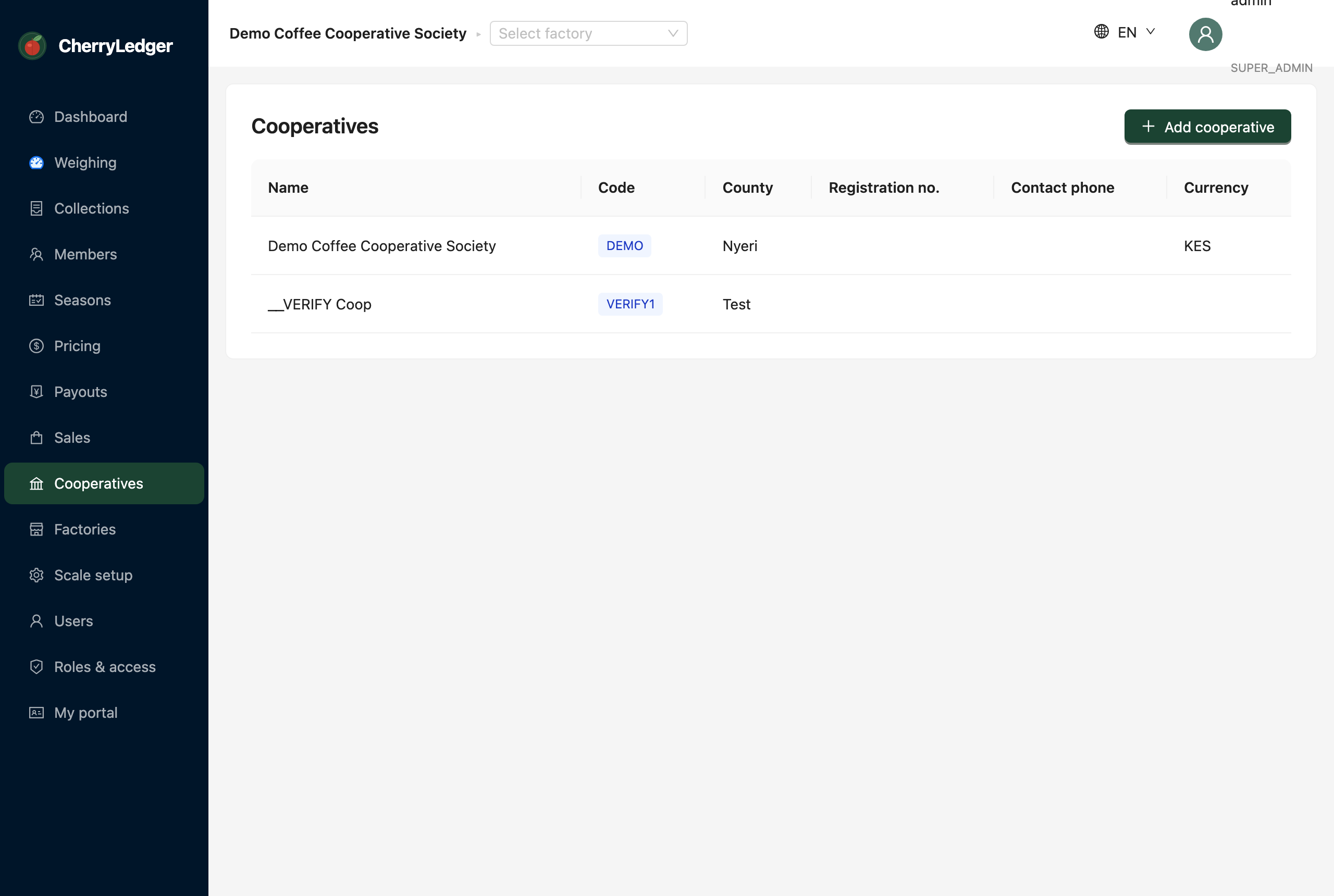
Creating a cooperative
- Open Cooperatives in the sidebar and select Add cooperative.
- Fill in the details:
- Name and Code (a short code, e.g.
OFCS) — both required. - Registration number, county, location, contact phone/email, currency.
- Save. The new cooperative appears in the list.
Onboarding a new cooperative
After creating a cooperative, set it up so its own team can run it:
- Create the cooperative (above).
- Go to Users → Add user. As a Super Admin you'll see a Cooperative selector — choose the new cooperative and assign the person the COOP_ADMIN role. Send them an invitation.
- That administrator can then create the cooperative's factories, members and staff.
Data isolation
Users only ever see their own cooperative's data. A Super Admin (the platform owner) can work across cooperatives; a cooperative administrator is confined to theirs.