Roles & permissions
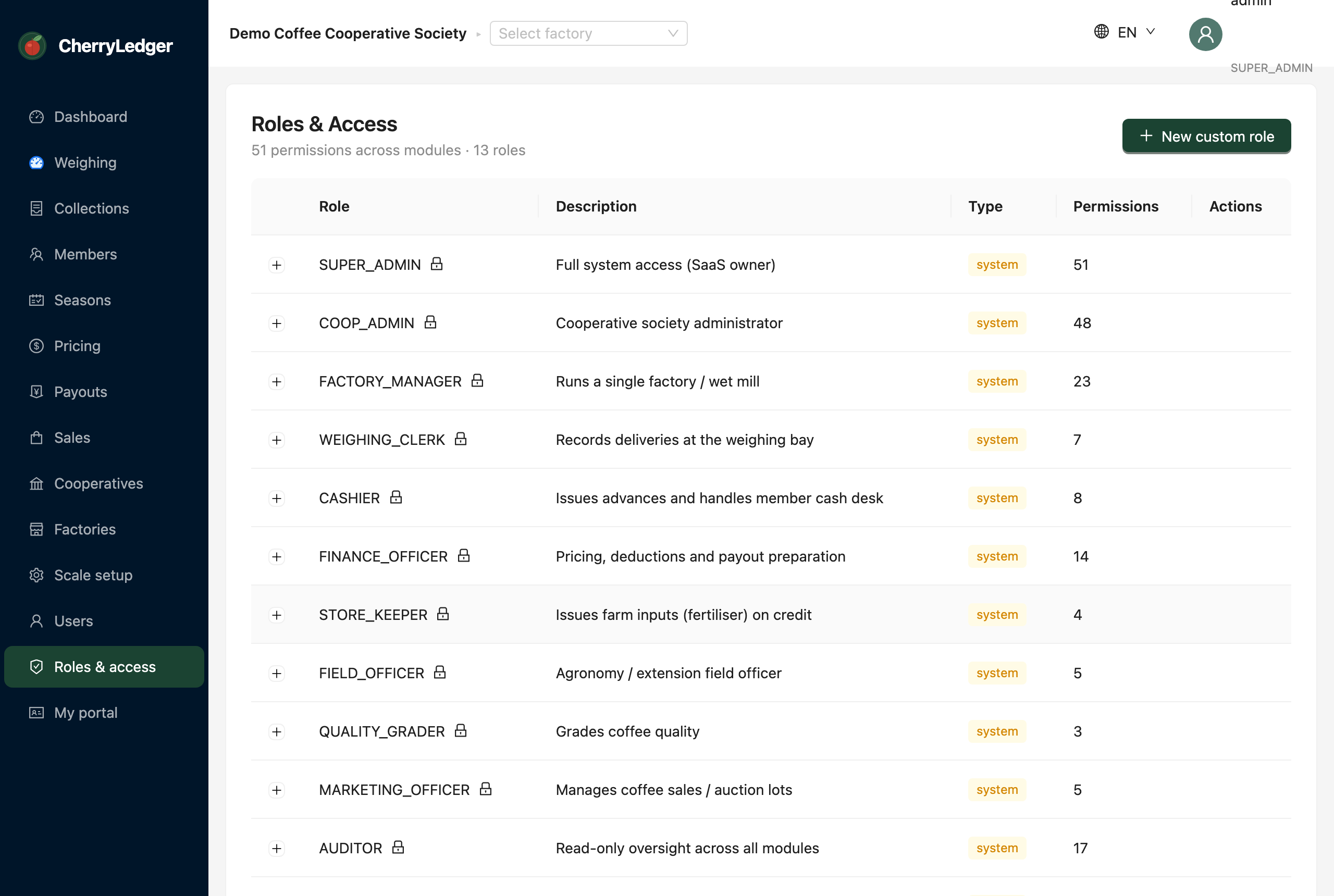
CherryLedger uses permission-based access control. Each role is a bundle of permissions, and each user has one or more roles. The Roles & access screen lets administrators review the built-in roles and create custom ones.
Permission required: ROLE_READ (view), ROLE_MANAGE (create/edit custom roles).
How it works
- A permission is a single capability, e.g.
COLLECTION_CREATE(record a delivery) orPRICE_SET(change season prices). - A role groups permissions for a job — a Weighing Clerk can record deliveries and print receipts but can't set prices or see the Users screen.
- What a user can see and do — including which sidebar items appear — is decided entirely by their roles' permissions.
Built-in roles
CherryLedger seeds 13 roles covering the jobs in a cooperative, from Weighing Clerk to Board Member. See the full Roles & permissions table for exactly what each grants.
Custom roles
With ROLE_MANAGE, a cooperative administrator can create custom roles — pick a name and tick the
permissions it should grant — to match how their society is organised.
Scoping still applies
Permissions decide what a user can do; cooperative and factory scoping still decide whose data they do it to. A custom role can't let someone see another cooperative's members.